


Enabling S3 Tables Automatic Replication to Use as a Backup
awsS3 Tables has an automatic replication feature that can be used as a read replica for testing, or pointed at another region to reduce geographic latency, and by making the snapshot expiration on the replica table longer than on the source table and enabling the Intelligent Tier, it can also be used for backups.
this.tableBucket = new CfnTableBucket(this, 'SourceTableBucket', {
  tableBucketName: props.tableBucketName,
  replicationConfiguration: {
    role: this.replicationRole.roleArn,
    rules: [
      {
        destinations: [
          { destinationTableBucketArn: destTableBucketArn },
        ],
      },
    ],
  },
});
Configuration is also possible at the table level, not just the bucket level.
$ aws s3tables put-table-replication \
    --table-arn arn:aws:s3tables:us-east-1:111122223333:bucket/amzn-s3-demo-table-bucket/table/amzn-s3-demo-table-bucket-sales-data \
    --configuration file://table-replication-config.json
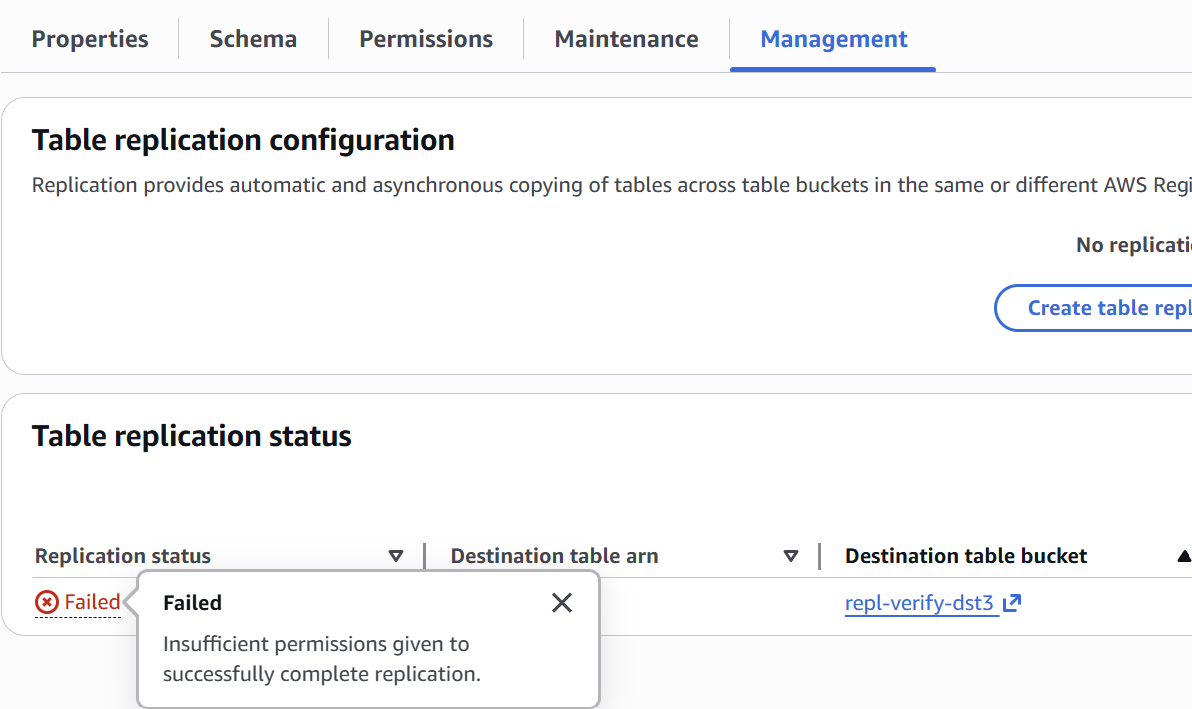
Namespaces and tables are automatically created on the destination bucket and committed in the same order. If replication fails due to insufficient permissions or similar issues, the error details can be checked from the table’s Management tab.
The commit was reflected on the destination table 5-7 minutes after being committed. Attempting to write to the destination table is rejected with PERMISSION DENIED. Also, even when the source table is deleted, the destination table is retained. However, commits that have not yet been replicated are lost. When an empty table with the same name is created and replication is enabled, it is not overwritten with an empty state and instead fails with ConflictException.