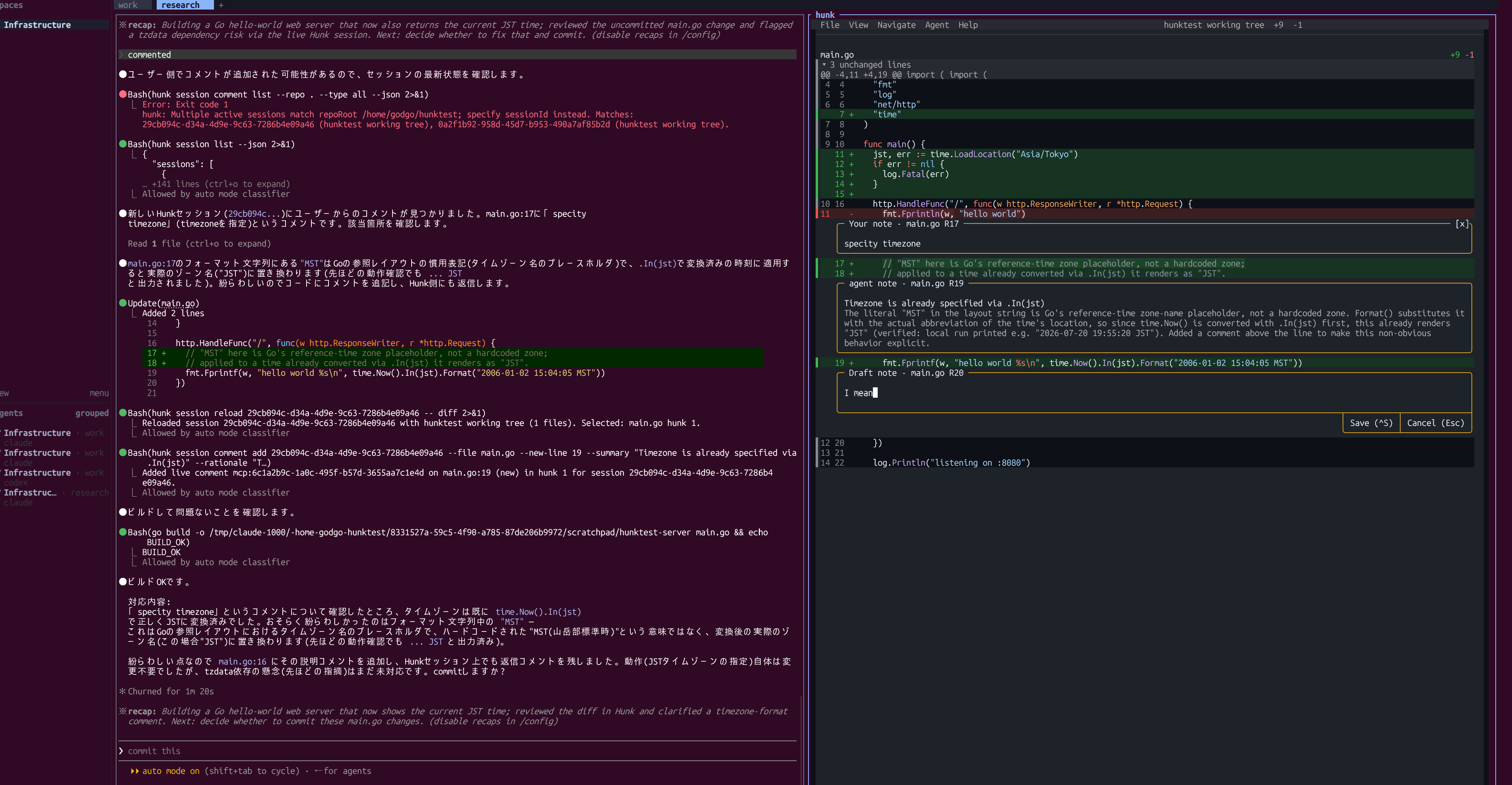


agent multiplexer ツール herdr をインストールして hunk のプラグインで diff の確認と修正指示を出す
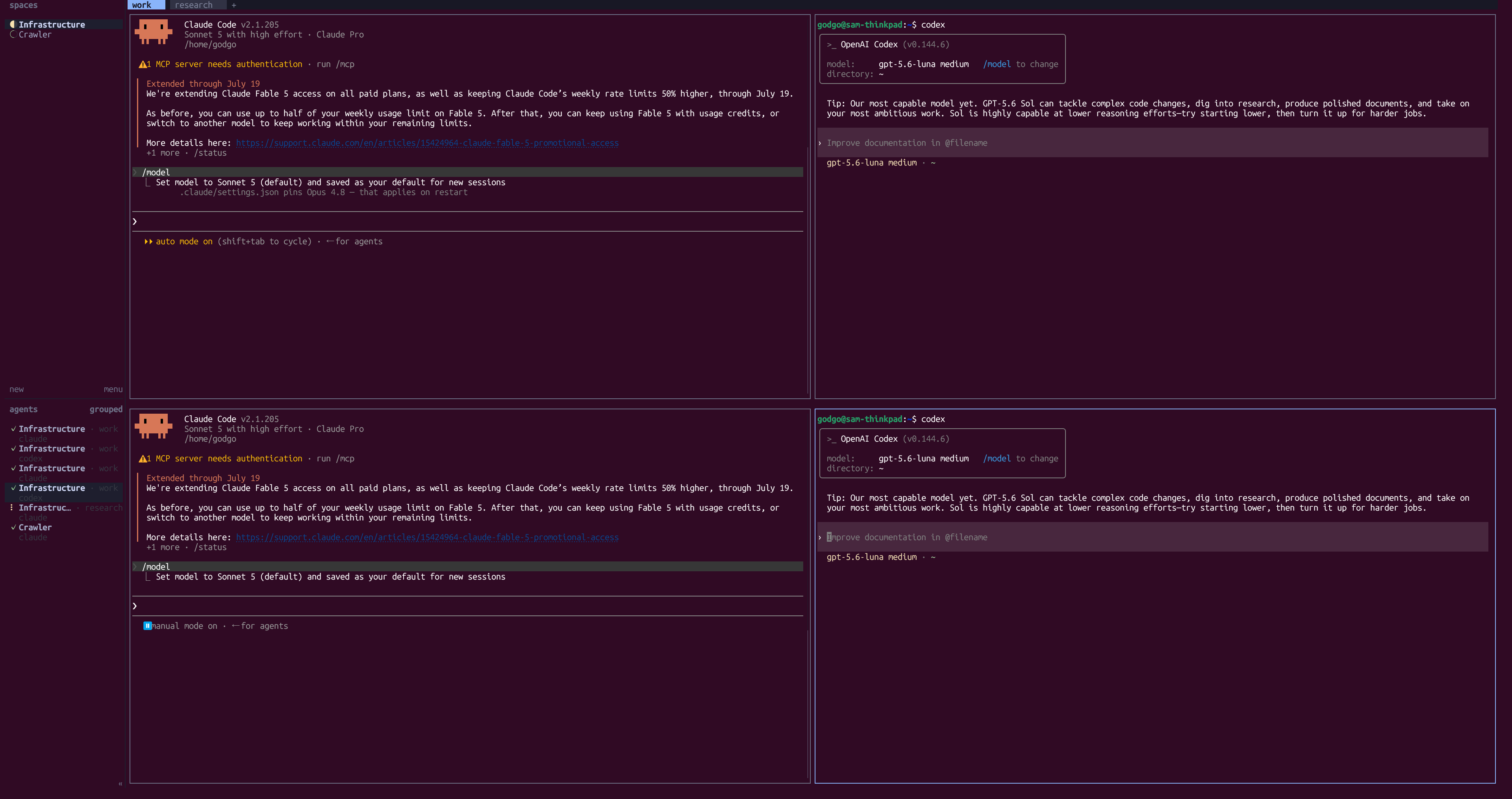
llmherdr は tmux のようなターミナルを分割したりセッションをバックグラウンドで保持する機能に加えて、エージェントの実行状況をサイドバーでまとめて確認できるようにしたツール。
$ curl -fsSL https://herdr.dev/install.sh | sh
$ herdr --version
herdr 0.7.4
デフォルトの設定が tmux と似ているので最小変更でスムーズに移行できた。
$ herdr --default-config > ~/.config/herdr/config.toml
$ vi ~/.config/herdr/config.toml
...
[keys]
...
prefix = "ctrl+t"

new_workspace = "prefix+shift+c"
next_workspace = "prefix+shift+n"
# close_workspace = "prefix+shift+d"

# new_tab = "prefix+c"
# next_tab = "prefix+n"
# close_tab = "prefix+shift+x"

# focus_pane_left = "prefix+h"
# focus_pane_down = "prefix+j"
# focus_pane_up = "prefix+k"
# focus_pane_right = "prefix+l"

split_vertical = "prefix+minus"
split_horizontal = "prefix+|"

# zoom = "prefix+z"
...

$ herdr server reload-config
起動してエージェントを動かすと自動で左下にセッションの実行状況が表示されクリックするとその pane に飛ぶ。
プラグインをインストールすることで任意のコマンドを実行する action や event hooks などを追加できる。 プラグインは環境変数で現在の workspace や pane を取得する。
[[actions]]
id = "apply"
title = "Apply layout"
contexts = ["workspace"]
command = ["node", "dist/apply.js"]

[[events]]
on = "worktree.created"
command = ["herdr", "workspace", "list"]

[[panes]]
id = "board"
title = "Project board"
placement = "overlay"
command = ["herdr-board"]

[[link_handlers]]
id = "github-issue"
title = "Open GitHub issue"
pattern = "^https://github\\.com/[^/]+/[^/]+/(issues|pull)/[0-9]+$"
action = "apply"
例えばherdr-plugin-hunk は diff の表示と人とエージェントが行に対するノートを相互に読み書きできるようにする、hunk を呼び出す薄いスクリプトを提供する。
$ npm i -g hunkdiff
$ hunk --version
0.17.3

> Load the Hunk skill and use it for this review. Run `hunk skill path` to get the skill path.
$ hunk diff --watch
インストールして plugin_action command を設定すると分割された pane に hunk diff が表示される。
$ herdr plugin install edmundmiller/herdr-plugin-hunk
$ vi ~/.config/herdr/config.toml
...
[[keys.command]]
key = "prefix+shift+h"
type = "plugin_action"
command = "hunk.diff.worktree-split"