

Installing the herdr Agent Multiplexer and Using the hunk Plugin to Inspect Diffs and Send Fix Instructions
llmherdr is a tool that, on top of tmux-like terminal splitting and background session retention, lets you check the status of running agents together in a sidebar.
$ curl -fsSL https://herdr.dev/install.sh | sh
$ herdr --version
herdr 0.7.4
The default configuration is similar to tmux, so I could migrate smoothly with minimal changes.
$ herdr --default-config > ~/.config/herdr/config.toml
$ vi ~/.config/herdr/config.toml
...
[keys]
...
prefix = "ctrl+t"

new_workspace = "prefix+shift+c"
next_workspace = "prefix+shift+n"
# close_workspace = "prefix+shift+d"

# new_tab = "prefix+c"
# next_tab = "prefix+n"
# close_tab = "prefix+shift+x"

# focus_pane_left = "prefix+h"
# focus_pane_down = "prefix+j"
# focus_pane_up = "prefix+k"
# focus_pane_right = "prefix+l"

split_vertical = "prefix+minus"
split_horizontal = "prefix+|"

# zoom = "prefix+z"
...

$ herdr server reload-config
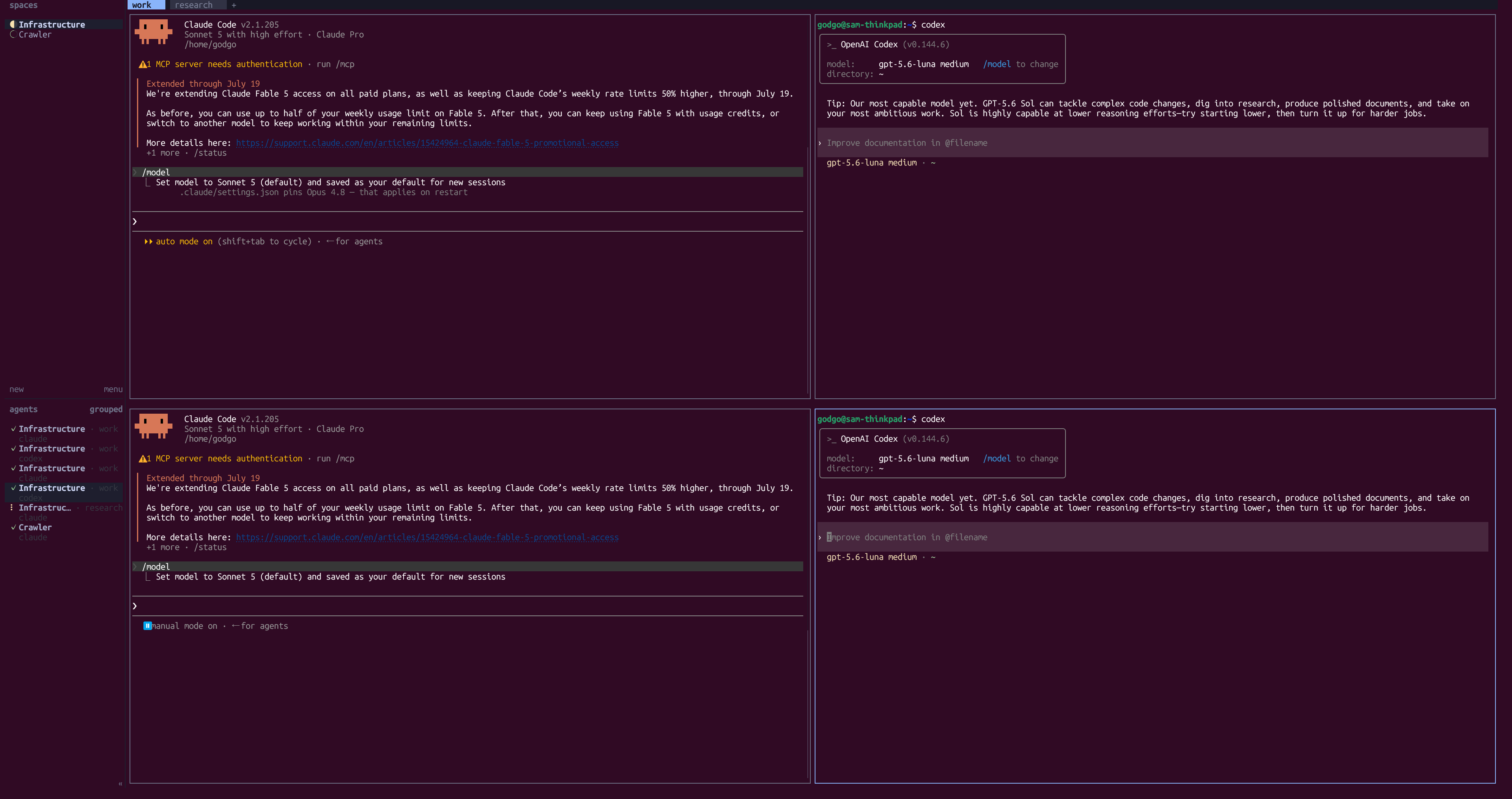
When you launch it and run an agent, the session’s execution status is automatically shown at the bottom left, and clicking it jumps to that pane.
Installing plugins lets you add actions that run arbitrary commands, event hooks, and more. Plugins obtain the current workspace or pane through environment variables.
[[actions]]
id = "apply"
title = "Apply layout"
contexts = ["workspace"]
command = ["node", "dist/apply.js"]

[[events]]
on = "worktree.created"
command = ["herdr", "workspace", "list"]

[[panes]]
id = "board"
title = "Project board"
placement = "overlay"
command = ["herdr-board"]

[[link_handlers]]
id = "github-issue"
title = "Open GitHub issue"
pattern = "^https://github\\.com/[^/]+/[^/]+/(issues|pull)/[0-9]+$"
action = "apply"
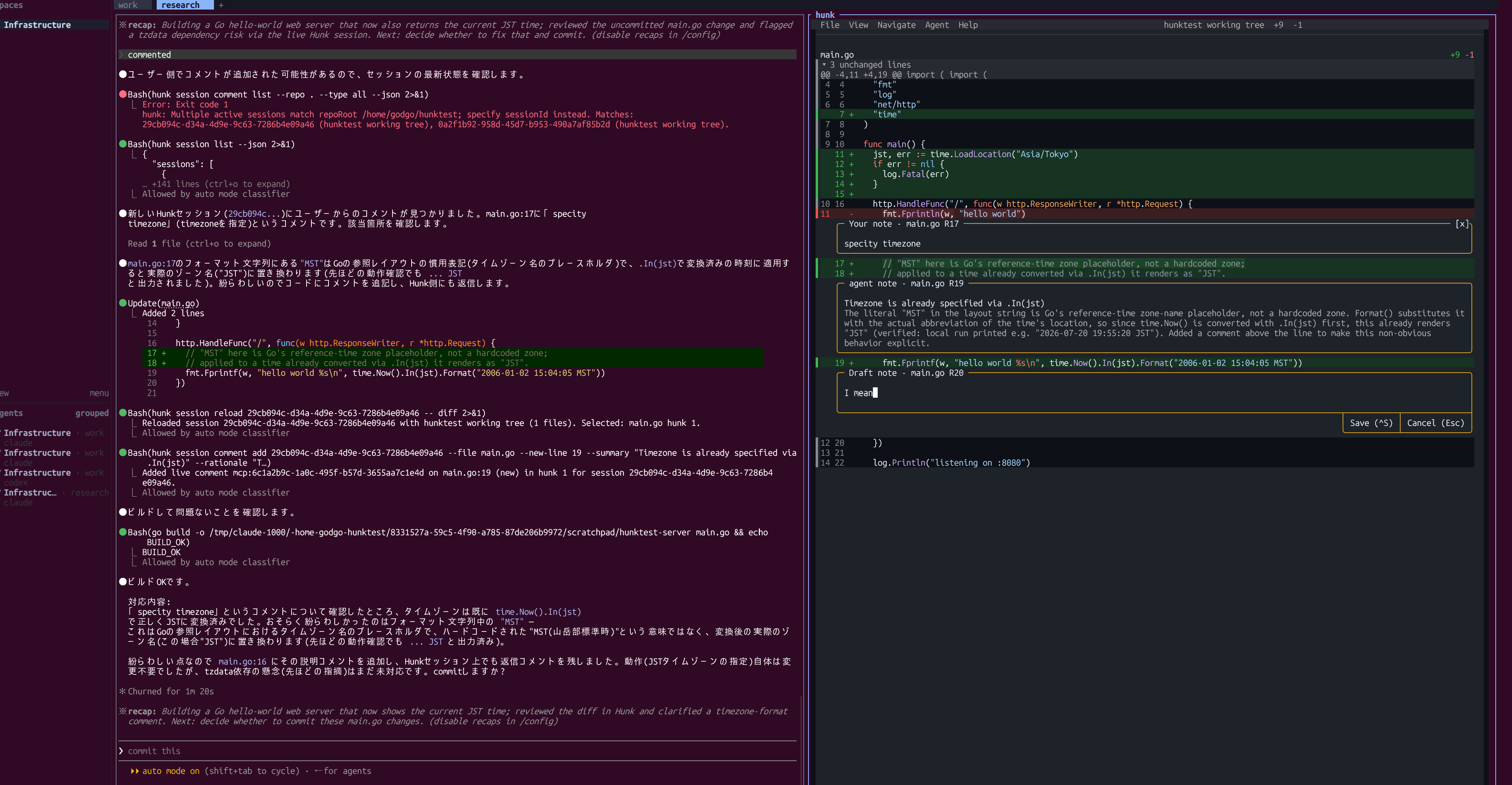
For example, herdr-plugin-hunk provides a thin script that invokes hunk, which displays diffs and lets humans and agents read and write per-line notes to each other.
$ npm i -g hunkdiff
$ hunk --version
0.17.3

> Load the Hunk skill and use it for this review. Run `hunk skill path` to get the skill path.
$ hunk diff --watch
Installing it and configuring the plugin_action command shows the hunk diff in a split pane.
$ herdr plugin install edmundmiller/herdr-plugin-hunk
$ vi ~/.config/herdr/config.toml
...
[[keys.command]]
key = "prefix+shift+h"
type = "plugin_action"
command = "hunk.diff.worktree-split"